
Record. Clip. Share.
GamePlay records your gameplay and creates highlight montages automatically.
One app for capture, clips, and sharing. Built for Windows.
Lightweight • Local storage • No cloud required
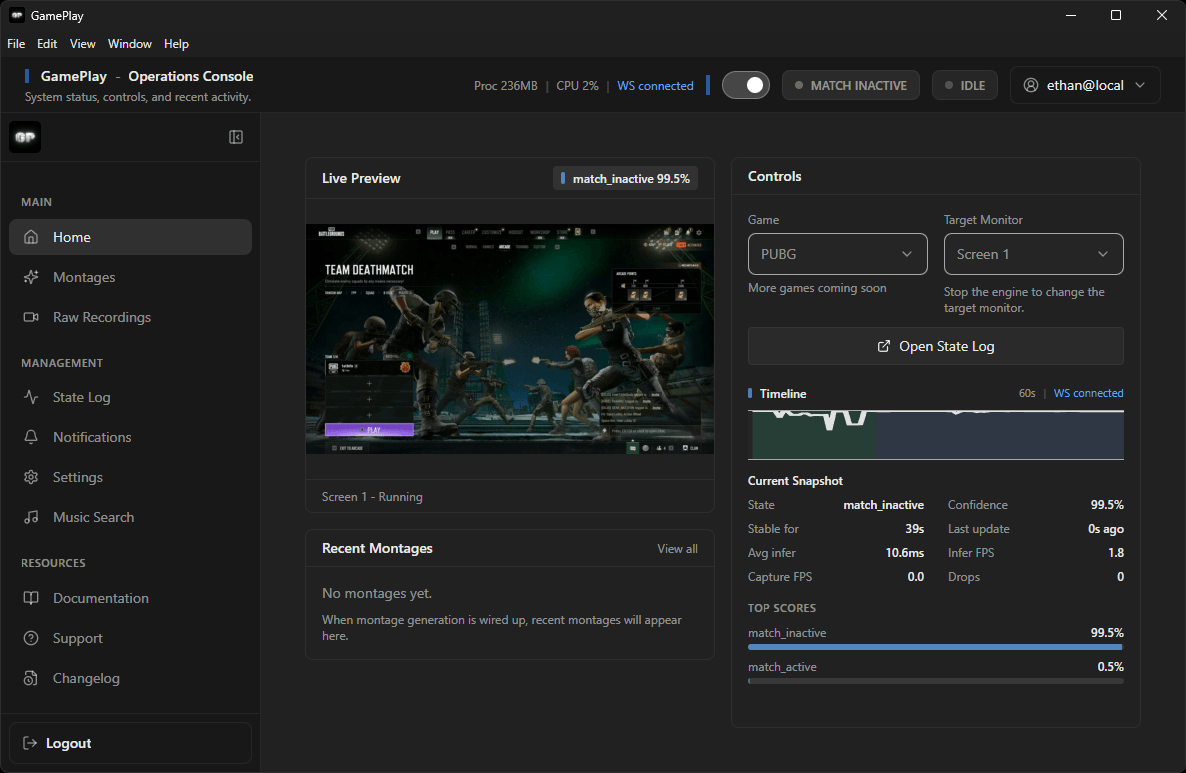
What happens after you press start
GamePlay runs this flow automatically in the background so your full session becomes clean clips and a ready-to-share highlight reel.
Turn it on
State engine
Recording
Highlight inference
Montage
The state engine drives the session: it branches to recording and highlight inference in parallel, each path loops back for the next transition, then the engine hands off to montage export when you are ready for a finished montage.
You do: Press Start.
Electron creates a new session and bootstraps the local state engine service on 127.0.0.1:8000. Health checks and session controls run over HTTP, while live state is streamed over /ws.
- Desktop shell handles UI, shortcuts, settings, and file orchestration.
- Python service handles CV inference and state event generation.
- Local-first runtime keeps core flow private and offline-friendly.
Result: Session is live.
Choose a plan that works for you
Download free to start recording. Upgrade to Pro for auto montages and priority support.
Free
For casual players
$0
Unlimited gameplay recording
Raw recordings saved locally
Custom keybinds
Basic settings
Community support
Pro
For streamers & creators
$9/month
Everything in Free
Auto montages
Music search & montage audio
Priority support
Early access to new features